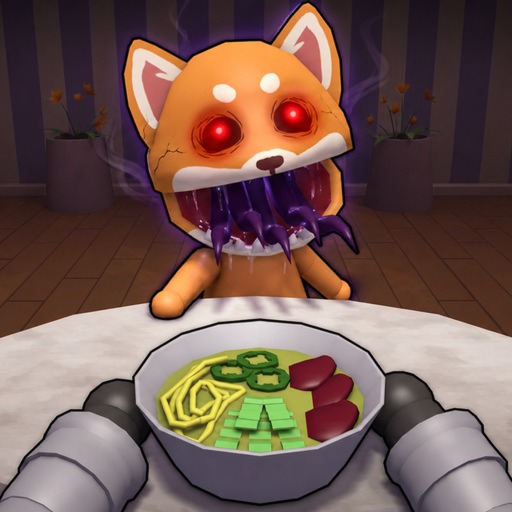
AnimalRestaurantAnomaly
First-shift guide

How to Play Animal Restaurant (Anomaly)

Follow this Animal Restaurant (Anomaly) how-to-play guide through an ordered first-shift loop: cook, serve, inspect, protect, evaluate an upgrade, and survive, with clear unknown boundaries and direct next-tool decisions.

Quick answer

Animal Restaurant (Anomaly) how to play: cook, serve, inspect, protect, evaluate an upgrade, and survive in an ordered first-shift loop.

Use the ordered checklist below and leave a field unknown when the official game pages do not explain it.

Action steps

Run the checklist during a shift

These steps organize official goal conditions into a practical routine. They do not read Roblox account progress.

  1. Step 1

    Cook the current order

    Start the restaurant loop by preparing the order shown for the guest. Keep the patience timer visible.

  2. Step 2

    Serve before patience expires

    Deliver the prepared order and keep the queue moving so routine service pressure does not hide a customer risk.

  3. Step 3

    Inspect strange behavior

    Describe what is visible and match a named anomaly only when the game identifies it. Head Banger coffee is the single verified response at launch.

  4. Step 4

    Protect the customer

    Call out the risk, keep service covered, and apply a specific response only after a confident match.

  5. Step 5

    Evaluate an upgrade

    Cash can be used for upgrades, but record the current in-game name, cost, and effect before deciding; do not follow an invented best-buy order.

  6. Step 6

    Survive and track the shift

    Finish the night, then confirm progress in Roblox and use the shift tracker for the next standard, no-death, Perfect Dish, or 3+ player goal.

Stuck help

Stop and use the safe fallback

  • If the anomaly name does not match Head Banger, use the unknown state instead of guessing.
  • If progression is unclear, enter your completed shift in the tracker and choose the next official badge goal.
  • A complete anomaly roster and its cues are not public.
  • Current upgrade names, prices, and effects are not published.
  • No reward amount or shift duration is predicted here.
Common mistakes

Fix the plan before the next shift

Ignoring service while investigating

Keep one player or part of your attention on orders and patience.

Applying coffee to every strange guest

Coffee is verified only for Head Banger; unmatched behavior stays unknown.

Guessing the best upgrade

Use the upgrade worksheet with values visible in the current session.

FAQ

Common questions

What is the main goal?

Complete restaurant tasks, respond cautiously to anomalies, protect customers, and survive each shift.

How do I identify every anomaly?

A complete roster is not public. The checker returns Head Banger or a safe unknown state.

Can this site track Roblox automatically?

No. Shift progress is browser-local and badge ownership must be confirmed in Roblox.

Does the guide list the best upgrades?

No. Current names, costs, and effects are not publicly available.

Head Banger coffee response

Read the confirmed action and unknown timing boundary.

Shift tracker

See your next official milestone.

Perfect Dish checklist

Track the official count sequence.

All shift guides

Choose a different player task or checklist.